KDP Rejected My Book: Common Reasons and How to Fix Them
What a KDP Rejection Actually Means
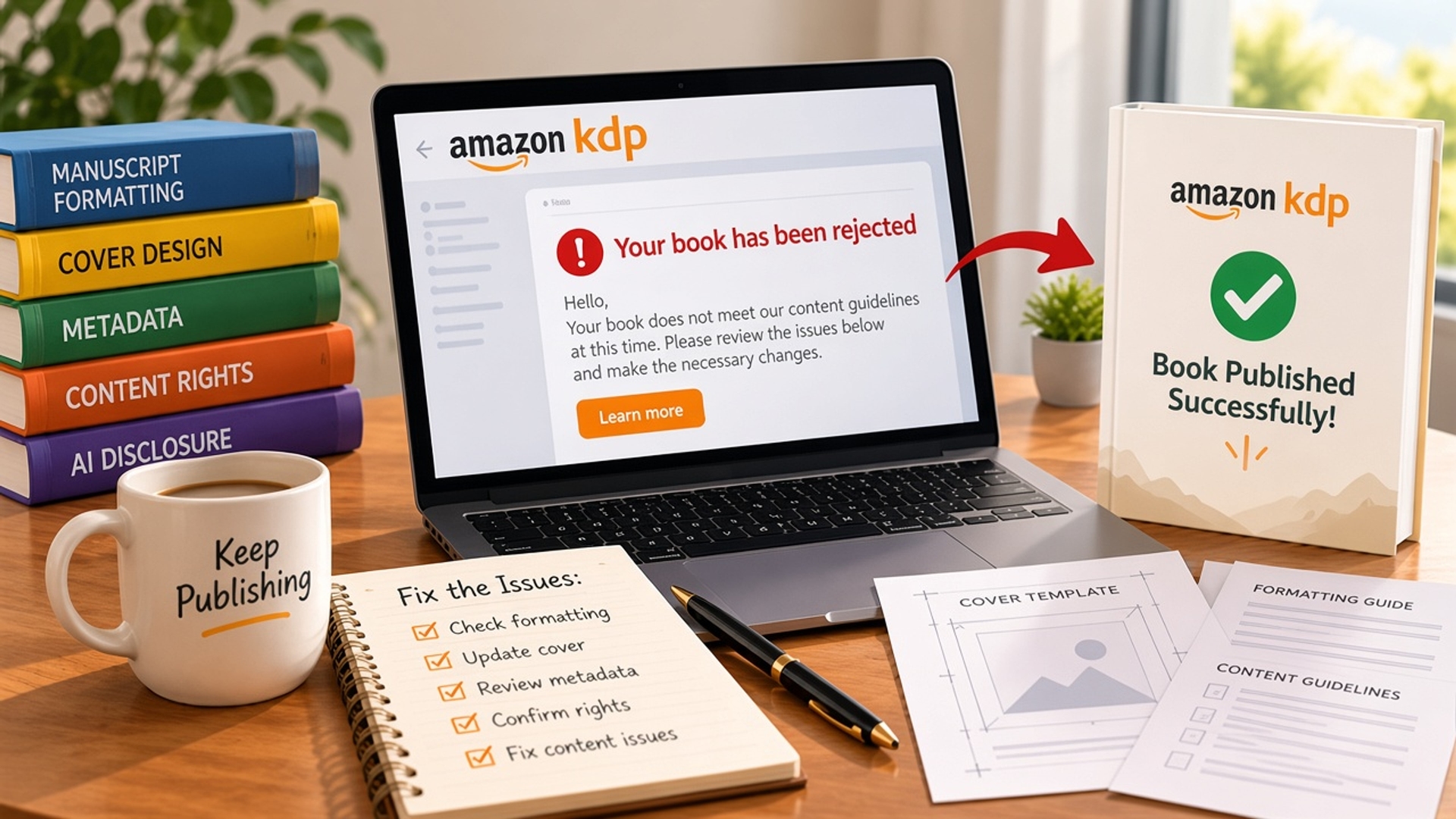
| Rejection reason | What Amazon is flagging | What to fix before resubmitting |
|---|---|---|
| Manuscript formatting | Margins, bleed, fonts, page size, or a low-resolution interior | Rebuild the interior to the trim size and upload a new PDF |
| Cover design | Wrong spine width, missing bleed, pixelated art, or a barcode problem | Resize the full cover wrap with the current page count |
| Metadata | Title, subtitle, description, or keywords that do not match the book | Rewrite the listing so it describes the book you actually uploaded |
| Content rights | Images, lyrics, quotes, or text you do not have permission to use | Replace unlicensed material or upload proof of rights |
| AI disclosure | AI-generated text or images that were not disclosed | Complete Amazon's AI questions honestly, then resubmit |
Fix Manuscript Formatting
Formatting checks before you upload
- Page size matches the trim size in your KDP paperback or hardcover setup.
- Margins leave room for the gutter, and bleed is added only if images run to the edge.
- Fonts are embedded in the PDF so KDP does not substitute them.
- Images are at least 300 dpi at the size they print, not stretched screenshots.
- The file is a single PDF, with no blank pages you did not intend and no crop marks.
Fix the Cover
Cover problems that trigger a rejection
- Low resolution or art that looks soft when printed at full size.
- Text in the bleed or too close to the trim, so it gets cut off.
- A spine that does not match the final page count.
- A barcode that overlaps the title or sits outside the reserved area.
- Cover text that does not match the metadata title.
Fix Metadata
| Metadata field | What gets rejected | What to write instead |
|---|---|---|
| Title and subtitle | Keyword lists, ALL CAPS, or a title that does not match the cover | The real title, with a short subtitle that describes the book |
| Description | Claims the book cannot support, or a wall of keywords | A clear summary of who the book is for and what is inside |
| Keywords | Other authors' names, "bestseller," or repeated phrases | Seven phrases a reader would actually search |
| Categories | A category chosen only because it looks less competitive | The categories that match the book's actual subject |
Fix Content Rights and AI Disclosure
Rights and disclosure checklist
- You can show a license or written permission for every image, chart, and long quotation.
- Public-domain text is actually in the public domain in the country where you publish.
- The AI content questions in KDP match how the manuscript and cover were made.
- Your ISBN and copyright details match the name on the account if you are using your own ISBN.
- Previously published material is either yours to reuse or removed.
How to Fix the Issues and Resubmit
Resubmission order
- Read the rejection email and write down the exact reason.
- Fix that file or field, then recheck formatting, cover, metadata, rights, and AI disclosure.
- Preview the paperback or ebook in KDP before you submit.
- Upload the new files and submit for review again.
- If it is rejected again, compare the new email with the last one so you are not fixing the same item twice.
Conclusion
FAQs
1. Why did KDP reject my book?
KDP rejects a book when the manuscript, cover, or listing breaks a publishing rule. The usual causes are formatting, cover dimensions, metadata, content rights, or a missing AI disclosure. The rejection email names the issue to fix.
2. Can I resubmit a book after KDP rejects it?
Yes. Update the file or listing field Amazon flagged, preview the book, and submit it again. Uploading the same files without a change usually brings the same rejection back.
3. Does a KDP rejection mean my book is banned?
No. A rejection is a failed review of that submission. Once the formatting, cover, metadata, or rights issue is corrected, the book can go through review again. A ban is a separate account or content-policy action and is not what a standard rejection email describes.
4. What should I fix first?
Fix the reason written in the email first. Then check the other common failures, especially page count versus spine width, title consistency, and image rights, so the next review does not fail on a second issue.
5. Can a publishing team fix a KDP rejection?
Yes. Book editing, cover design, and listing updates are the three pieces most rejection notices point to. A publishing team rebuilds those files to KDP's template and resubmits them together.
Author Bio:
Isabella Watson is a professional content specialist focused on book publishing and author services. She writes and reviews technical and informative content to help aspiring and seasoned authors navigate the professional publishing process. Her work focuses on quality, trust, and hassle-free creative writing.
GET FREE CONSULTATION
Recent Posts
Ebook Royalties Explained: How Much Do Authors Actually Earn Per Sale?
IngramSpark Wholesale Discount & Returns Explained
Use Your Year-End Budget to Publish a Business Book Before 2027
Do You Really Own Your Book? The Truth About 100% Royalties, ISBN Ownership & Publishing Rights Before You Sign With a Book Publishing Company (2026–2027)
Why Thousands of Authors Trust Berg Publisher for Professional Publishing Services?
Our Publishing Services Explained | Expert Book Publishing Services
Client Satisfaction Comes First at Berg Publisher Book Publishing Agency
Is hiring a ghostwriter from a ghostwriting agency worth it?
Why professional authors choose ghostwriting services?
Can I Hire a Ghostwriter Online to Write My Life Story?
What are eBook writing services, and how do they help businesses generate leads?
What Berg Publisher Does as a Leading Professional Book Publishing Agency?
A Guide to Understand Rights and Credits Retention in Ghostwriting Services.
Why Book Editing is More Important Than You Think?
How to Choose the Right eBook Writing Service for Your Book or Business?
Common Mistakes Authors Make Without an eBook Writing Service
How Much Do eBook Writing Services Cost?
Professional eBook Writing, Ghostwriting and Editing Services for Authors
Best Book Publishing Agencies for Aspiring Authors 2026
Manuscript getting rejected again and again?: 2026 best book editing service
Explore the top book marketing services: Self-book publishing authors 2026
10 major benefits of hiring fiction ghostwriting services for your novel
How to design a professional book cover that sells in 2026
How to Hire a Fiction Ghostwriter for Your Novel
How to Choose a Book Publishing Agency for International Distribution?
How Book Publishing Agencies Choose Which Manuscripts to Publish?
The Day-to-Day Workflow of a Professional Book Publishing Agency?
How Editors at a Book Publishing Agency Shape Your Manuscript into a Bestseller?
AI vs human ghostwriters: Which is best for writing books in 2026?| ghostwriting services
What Most Authors Don't Know About Book Publishing Agency Submission Processes?
AI Ghostwriting in 2026: How Human Ghostwriters Still Add Value
Ghostwriting Services | Best AI Tools for Writing Books in 2026
Behind the Scenes: How Agencies Decide Marketing Budgets for Books?
How a Book Publishing Agency Evaluates Manuscript Potential (2026 Guide)
Do AI tools beat human writers?| Book publishing services explained
Book Publishing Service Explain, Will AI Replace Authors?
10 Reasons to Hire a Professional eBook Writer in 2026
30+ Questions to Ask an Author About Their Book (With Answer Guides)
How to Write a Book Without Typing
How Book Publishing Services Help Veterans Share Their War Stories?
How Agencies Handle Multiple Authors Efficiently?
How Book Publishing Agency Experts Predict Reader Trends?
Why Book Editing Services and Editors Matter in the AI-Driven Publishing Era?
Pricing Secrets: How a Book Publishing Agency Decides Author Royalties?
How does a Book Marketing Agency Handle Sci-Fi, Fantasy, and Romance Books Differently?
How to Negotiate the Best Deal with a Book Publishing Agency (2026 Guide)
I Published My First Book at 60: Guide to Book Publishing Services for First-Time Authors
The Real Cost of Publishing a Book via Book Publishing Services in 2026?
30+ Questions Every Author Should Ask Before Using Book Publishing Services
Hire an EBook Writer to Build Brand Authority
IngramSpark vs KDP Print: Which to Use (and How to Use Both)
What Should a Publishing Services Contract Include? (Rights, Royalties, Exit Terms)
Is Paying for Book Publishing Worth It? An Honest ROI Breakdown
Freelance Editor vs Publishing Agency: Which Is Right for Your Book?
KDP Rejected My Book: Common Reasons and How to Fix Them
How Much Do Ghostwriters Charge? (Per Word, Per Project, Per Book)
Poetry Publishing: Why It Needs Different Treatment
Why Book Launches Get Delayed (and How to Avoid It)
Is Your Book Ready to Be Published? Check Now
Manuscript to Published Book: A Step-by-Step Guide
Famous CEO Books That Were Written by Ghostwriters
Common Publishing Mistakes Every Author Should Avoid
Legal Requirements for Publishing a Book in the USA
What Successful Self-Published Authors Do Differently
Will Your Book Ever Pay You Back? Here's the Truth
Choosing the Right Genre and Category for Your Book
Hidden Contract Clauses Authors Miss in Book Deals
Best Fiction Writing Services | Berg Publishers
Who Owns a Ghostwritten Book? | Berg Publishers
Book Publishing Services That Don't Hide the Price
Ghostwriter vs. Co-Author: Which One Is Right? | Berg
How CEOs Become Published Authors | Berg Publishers
Amazon Publishing vs. Berg Publishers: Which Wins?
How to Vet a Ghostwriter: A 10-Point Checklist
Vanity Press Warning: 12 Red Flags Before You Sign
eBook Writing Service: How to Choose the Right One
Why Ebooks Fail: 8 Honest Reasons You Can't Ignore
5 Reasons to Hire an Editor Before Self-Publishing a Book
How to Tell If Your Book Is Competing Against an AI Knockoff on Amazon
How to Promote an Ebook After Publishing: Beyond Amazon and Your Website
How to Sell Short Stories on Amazon Kindle: Tips and Tricks for New Authors
8 Podcast Recommendations for Writers and Self-Publishers (2026 Edition)
An Interview with USA Today Bestselling Author Kelly
How Do I Publish a Book for Free on Amazon Kindle Direct Publishing (KDP)? The Complete Step-by-Step Process
AI and Book Publishing in 2026: 4 Changes Every Author Should Know
Which Fonts and Font Sizes Are Best for Your Book's Interior Formatting?
Business Ebook vs Amazon Ebook: Two Completely Different Goals
Cost vs Value: Is a Professional Agency Worth It for Your Book?
15 Creative Book Marketing Ideas for Self-Published Authors (2026 Guide)
2026 Publishing Trends: What Authors, Editors & Publishers Must Know
Internal vs External Conflict: How They Are Used in a Story
Book Royalty Calculator: KDP vs IngramSpark vs Draft2Digital (Exact Math)
Best Publishing Platforms 2026 to 2027: The Ultimate Comparison Guide
AI Book Cover Design: Legal Risks Every US Author Must Know in 2026
How to Hire and Work with a New York Ghostwriting Company
How Much Do Ghostwriters Cost in New York? A Complete NYC Pricing Guide for 2026
The Ultimate Guide on How to Write a Book in 2026
Tips for Authors Writing in Less Popular or Emerging Genres
Top 10 Best Selling Authors of All Time | Book Publishing

We create books that connect with audiences. From the initial outline to publication and marketing, we support our clients throughout the entire process.
SERVICES
- Fiction Ghostwriting
- Non-Fiction Ghostwriting
- Book Editing
- Book Cover Design
- Book Printing
- Book Marketing
- Book Launch Services
- Amazon Ads for Authors
- Amazon Listing Optimization
- Author Website Design
- Audiobook Publishing
- Business Book Publishing
- Children's Book Publishing
- Memoir Publishing
- Hybrid Publishing
- IngramSpark Publishing
- ISBN and Copyright Registration
- eBook Writing
- Self-Publishing for Tech Founders
- Amazon Publishing
- Self-Publishing vs Traditional Publishing
- Book Publishing Timeline & Process
- Book Publishing Cost USA
- Author Success Stories & Case Studies
- Biography Writing
- Novel Writing